Is Pocket Option Legal in Pakistan? Rules, Payouts and Risks
Everything You Need to Know About the Quotex App
Traders in Pakistan looking at fixed-time trading often start with the same question: how does the Quotex app actually work on a phone, and is it worth setting up instead of just using a browser. This guide walks through installation, core features and what changes when you move from desktop to mobile, plus the practical funding and support details that matter once the app is running.

Getting The Quotex App On Your Phone
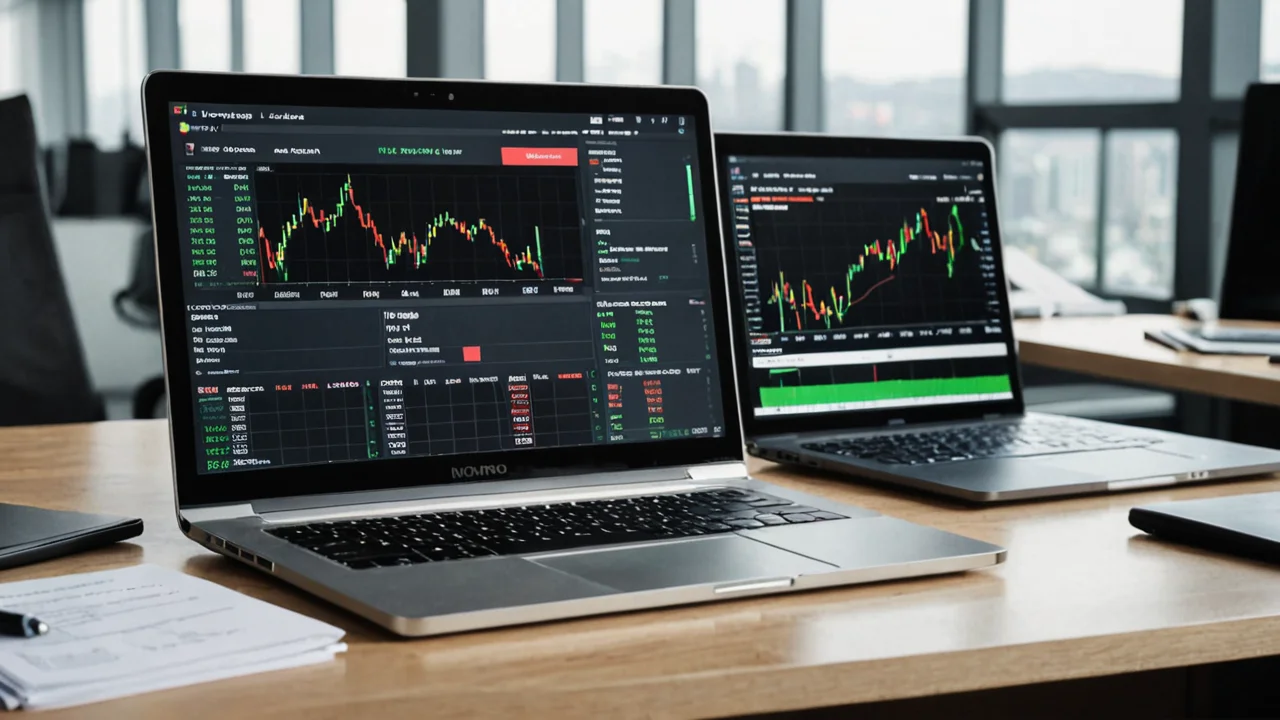
Quotex runs on a proprietary trading system built specifically for the platform, rather than something like MT4 or MT5, which is part of why the app has its own distinct installation flow. Instead of a generic broker wrapper around a third-party terminal, the mobile app is designed from the ground up around Quotex's fixed-time contract structure.
For most Pakistani users, the practical path is downloading the app package directly from Quotex's own site or an official app store listing, since the platform is accessed the same way regardless of country. Always verify you're downloading from an official source before entering any account details, since unofficial copies of trading apps are a common risk in this space.
- Locate the official download link on the Quotex platform or a verified app store listing
- Install the package and allow the permissions the app requests
- Open the app and either log into an existing account or register a new one
- Confirm you can view live pricing before funding the account
Our app-download page walks through this in more detail if you want a step-by-step reference while installing.
Key Takeaway: the app installs like any standard trading tool, but sourcing it from the correct, official channel matters more than usual given how many unofficial trading app copies circulate online.
Smoother mobile trading
Native iOS and Android, no web wrappers.
Core Features Inside The Quotex App
Once installed, the app centers around the same fixed-time trading mechanic Quotex is built on: you pick an asset, set a short time window, and speculate on price direction. The interface is designed to make that cycle fast, since these contracts often run on very short durations.
The asset menu covers forex pairs, stock indices, commodities and cryptocurrencies, all tradable through the same fixed-time contract format rather than through leveraged CFD positions. That's a meaningful distinction for anyone coming from a traditional forex background, since the mechanics of entry, payout and expiry work differently than a standard buy/sell order.
- Live price charts with the same underlying asset list as the web version
- A demo account mode for practicing without risking real funds
- Quick trade execution designed for short-duration contracts
- Account and transaction history accessible directly in the app
The demo account is worth using before committing money, especially since fixed-time trading behaves differently from conventional spot or CFD trading and the payout structure rewards familiarity with the format.
Setting Up Your Account And Funding It
After installation, account setup follows a standard registration flow: email, password, and basic verification steps before you can move real money. The minimum amount needed to open a live account and start trading is US$10, which keeps the entry barrier low for anyone testing the app for the first time.
Funding options available through the platform include cryptocurrencies such as Bitcoin, Ethereum, Litecoin, Ripple, Zcash and Tether, along with Visa and MasterCard bank cards and e-wallets like Advcash and Perfect Money. Pakistani users have reported using a mix of these channels, since the platform doesn't publicly list Pakistan-specific local payment rails in its documentation.
A single sentence worth repeating here: start with the smallest amount you're comfortable losing entirely, since fixed-time contracts carry real capital risk regardless of how simple the app interface looks.
Key Takeaway: the $10 minimum makes testing the app inexpensive, but the underlying product still carries the same risk profile as any speculative fixed-time contract.
App Vs Web Platform: What Actually Changes
Many traders assume mobile and desktop versions of a platform are functionally identical, and for Quotex, that's largely true in terms of available assets and contract types. What differs is mostly around convenience and screen real estate rather than access to different features.
The browser version gives you more chart space and is often easier for reviewing multiple assets side by side before entering a trade. The app trades that visual room for portability, letting you check positions or place trades away from a desktop setup.
- Both versions connect to the same account and balance in real time
- Chart analysis tools are generally easier to use on a larger screen
- The app is better suited to quick checks and time-sensitive trades
- Neither version currently offers additional asset classes the other lacks
If you're deciding which to use as your primary interface, our quotex-app-vs-web-platform-comparison page breaks this down further with a closer side-by-side look.
Trading Tips For The Mobile App
Fixed-time trading rewards discipline more than most people expect walking in. The app's speed makes it tempting to place trades quickly, but that same speed can lead to impulsive decisions if you're not tracking your own activity.
Set a personal limit on how much you're willing to risk per session before you open the app, and stick to it regardless of how a trade goes. It's easy to chase a loss with another quick trade on a small screen, and that instinct is exactly what tends to erode account balances fastest.
- Practice on the demo account until you're comfortable with contract timing
- Avoid trading on unstable mobile data connections, since delayed price updates can affect outcomes
- Keep withdrawal expectations realistic and check processing details before large deposits
- Review your trade history in the app regularly rather than relying on memory
Independent reviewers have noted complaints from users in various markets about withdrawal delays and unexpected verification requests on this type of platform. That doesn't mean every user experiences this, but it's a reasonable factor to weigh before depositing larger amounts through the app.
Support And Troubleshooting
If something goes wrong inside the app, whether it's a login issue or a question about a trade, Quotex offers support through live chat and email, with live chat available continuously. This is one area where the app and web version behave identically, since support channels aren't split by platform.
For Pakistani users specifically, there's no dedicated local support line or in-country office to rely on, since Quotex operates entirely offshore. That means any dispute over a trade outcome or withdrawal delay goes through the same general support channel available to users everywhere.
Keep screenshots of your trade confirmations and transaction records inside the app. If a dispute arises, having your own documentation makes the support conversation considerably more straightforward.
Frequently Asked Questions
-
Is the Quotex app free to download?
A: Yes, downloading and installing the app itself doesn't cost anything. Costs only come into play once you fund a live account, which requires a minimum of $10.
-
Do I need the app, or can I just use the website?
A: Both give you access to the same account, assets and contract types. The app is more convenient for quick trades on the go, while the browser version offers more screen space for chart analysis.
-
Can I practice on the app before trading real money?
A: Yes, the app includes a demo account mode, which is worth using to understand how fixed-time contracts behave before depositing funds.
-
What payment methods work with the Quotex app in Pakistan?
A: The platform supports several cryptocurrencies, Visa/MasterCard bank cards, and e-wallets like Advcash and Perfect Money. Specific local Pakistani payment rails aren't publicly documented by the platform.
-
Is there a Pakistan-specific version of the app?
A: The app itself is the same globally. Some Pakistan-facing marketing sites promote it locally, but the underlying platform and features don't differ by country.